
Knife Master
Casual Games



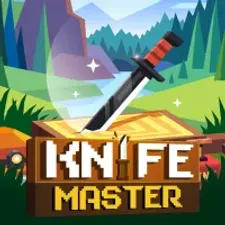
Knife Master
















| Rating | 4.2 / 5 (10,000 votes) |
| Played | 100,000 times |
| Developer | AZ Games |
| Released | 2025-01-01 |
| Platform | Desktop, Mobile, Tablet |
| Technology | HTML5 |
| Category | Casual Games |
A spinning wooden log rotates lazily in front of you. In your hand, a gleaming blade waits for the right moment. You study the gaps between the knives already embedded in the surface, calculate the rotation speed, and release. The knife sinks in with a satisfying thunk. One down, several to go. The log accelerates. The gaps shrink. Your pulse quickens. Welcome to Knife Master.
This deceptively simple arcade game has become a global sensation, and now you can play Knife Master online right here in your browser. No app store, no download, no waiting — just pure precision gameplay at your fingertips.
The Core Mechanic — Timing is Everything
Knife Master revolves around a single question: can you find the gap? Each stage presents a rotating target — usually a wooden round, but later levels introduce irregular shapes, fruits, and even boss characters. You start with a set number of knives and must embed every single one without any collisions.
Understanding Rotation Patterns
Targets do not simply spin at a constant speed. The game layers multiple movement patterns to keep you guessing:
Pattern 1: Steady Rotation
The target rotates at a fixed speed in one direction. This is the simplest pattern and appears in the earliest stages. Use these levels to calibrate your internal rhythm.
Pattern 2: Variable Speed
The target alternates between slow and fast rotation, sometimes pausing briefly. These pauses are traps — they tempt you into throwing early, but the sudden restart catches impatient players off guard every time.
Pattern 3: Direction Reversal
Mid-rotation, the target flips its direction without warning. The key here is to never commit to a throw during a reversal window. Wait until the direction stabilizes, then fire.
Pattern 4: Dual Targets
Advanced stages feature two targets orbiting each other. You must thread knives into both, dividing your attention between two different rotation speeds simultaneously.
Controls and Input
Knife Master keeps controls minimal so you can focus entirely on timing:
| Platform | Input | Details |
|---|---|---|
| Desktop | Left-click or Spacebar | One click = one knife thrown |
| Mobile | Tap anywhere on screen | Responsive tap detection |
| Tablet | Tap or stylus | Both work identically |
Input Timing Nuance
There is a brief delay — roughly 100 milliseconds — between your input and the knife reaching the target. This means you need to click slightly before the gap aligns with your throw line. Practice makes this lead time feel natural, but newcomers often click too late because they wait for the visual confirmation of a clear path.
Scoring System and Combos
Base Points
Each successful knife placement earns a base score. The faster you throw after the previous knife lands, the higher the bonus multiplier climbs. Throwing immediately after a successful stick triggers a "Quick Throw" bonus.
Combo Chain
Consecutive successful throws without pausing build a combo chain. The multiplier increases with each link in the chain:
- 3 consecutive throws = 2x multiplier
- 5 consecutive throws = 3x multiplier
- 10 consecutive throws = 5x multiplier
- 15 consecutive throws = 8x multiplier
Breaking the chain by waiting too long resets the multiplier to 1x. Crashing into an existing knife ends the attempt entirely.
Bonus Items
Some targets carry bonus objects — apples, gems, golden coins — wedged into the surface alongside existing knives. Hitting a bonus item with a knife collects it and awards extra points. These items often sit in the narrowest gaps, rewarding confident, precise throws.
Advanced Strategies for High Scores
The Rhythm Method
Rather than watching individual gaps, try to feel the rotation as a rhythm. Count the beats in your head and throw on the same beat each cycle. This approach is more reliable than visual tracking, especially at higher speeds where gaps appear and disappear in fractions of a second.
Edge Targeting
Knives that land near the edge of the target take up less visual space in the rotation, leaving more room for subsequent throws. Aim for the outer ring whenever the gap is wide enough to allow it.
Boss Fight Preparation
Every fifth level is a boss encounter with a unique target shape and special mechanics. Conserve your focus for these stages — they often include moving obstacles on the target surface that block throwing lanes.
Troubleshooting Common Frustrations
- "I threw at a gap but still crashed" — The knife has travel time. You likely clicked when the gap was aligned but by the time the knife arrived, the target had rotated. Click earlier.
- "The pattern feels random" — Every pattern repeats on a fixed cycle. Watch for two full rotations before throwing to map the complete movement.
- "My combo keeps breaking" — You are waiting too long between throws. Try speeding up, even if it feels risky. A fast miss is better than a slow reset.
Important Notes
- Knife Master saves your progress automatically in your browser session.
- The game runs on any device with a modern web browser — desktop, phone, or tablet.
- Later boss stages unlock only after completing all preceding levels.
- Turning off browser extensions that modify page timing can improve input responsiveness.
Play Knife Master on Wacky Steps
Grab your blade and test your nerve. When you play Knife Master on Wacky Steps, you get:
- 100% Free — Full game access with zero cost, forever.
- No Download Required — Load the game instantly in your browser tab.
- Browser-Based — Compatible with Chrome, Safari, Firefox, Edge, and mobile browsers.
Study the spin, find the gap, and let it fly. How many knives can you stick before the pressure gets to you?
You May Also Like



Discuss Knife Master
No comments yet. Be the first to share your thoughts!