
Perfect Orbit
Casual Games



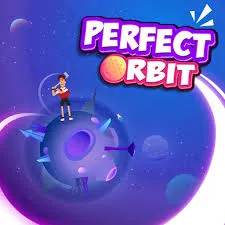
Perfect Orbit

















| Rating | 4.2 / 5 (10,000 votes) |
| Played | 100,000 times |
| Developer | AZ Games |
| Released | 2025-01-01 |
| Platform | Desktop, Mobile, Tablet |
| Technology | HTML5 |
| Category | Casual Games |
There is a moment in Perfect Orbit where time seems to stop. Your satellite drifts along its trajectory, the gravitational field of a nearby planet bends its path, and you watch — holding your breath — to see if the orbit stabilizes or spirals into chaos. That moment of suspension, that fraction of a second between triumph and failure, is what makes this game magnetic. Play Perfect Orbit online and discover why patience and precision are the most rewarding skills in gaming.
The Philosophy of Perfect Timing
Why This Game is Different
Perfect Orbit does not rush you. There are no ticking clocks, no enemies chasing you, no arbitrary pressure. The challenge comes entirely from within — your ability to observe, calculate, and execute with absolute precision. This makes it both the most relaxing and the most tense game you will play, often at the same time.
The Satisfaction of a Stable Orbit
When you nail a perfect launch — when your satellite settles into a clean, unbroken circle around a planet — the visual reward is immediate. A glowing trail traces the orbital path, the planet seems to pulse with satisfaction, and your score climbs steadily as the orbit maintains itself. It is a deeply calm, meditative experience.
Core Mechanics
Gravitational Fields
Every celestial body in the game exerts gravitational pull. Larger bodies pull harder and from farther away. Your satellite is constantly affected by every gravitational source on the map, and the challenge is finding a launch angle and speed that balances these forces into a stable path.
Launch Controls
- Click or tap anywhere on the launch pad to set your angle — the satellite will fly toward where you clicked.
- Hold longer before releasing to increase launch power. A brief tap gives a gentle push; a long press fires the satellite at high velocity.
- Arrow keys provide fine adjustment to your launch angle after clicking. Use these for precision tweaks before committing.
Trajectory Preview
Reading the Projection Line
Before you launch, a dotted line projects the approximate path your satellite will take, curving around gravitational sources. This line is an approximation — it shows the first few seconds of flight. Longer trajectories require you to mentally extend the curve beyond what is visible.
The Margin of Error
The projection line gets less accurate the further it extends from the launch point. Gravitational interference from multiple bodies can shift the path in unpredictable ways. Trust the preview for the initial trajectory, but develop your spatial intuition for the full orbital shape.
Types of Orbital Challenges
The Single Planet Orbit
The simplest challenge: launch a satellite into a stable orbit around one planet. This teaches the fundamental relationship between speed and distance. Too fast and the satellite escapes. Too slow and it crashes. The sweet spot is where gravity exactly cancels the centrifugal tendency.
The Figure-Eight
Some levels feature two planets positioned so that a satellite can orbit both in a figure-eight pattern. This requires launching at exactly the right angle and speed to pass through the gravitational balance point between the two bodies.
The Slingshot
Launch your satellite past a large planet to use its gravity as a slingshot, redirecting the satellite toward a distant target. The slingshot must be close enough to bend the trajectory but not so close that the planet captures the satellite into a local orbit.
Multi-Body Chaos
Advanced levels feature three or more gravitational sources. The competing forces create complex, shifting paths where a stable orbit is a narrow window amid chaos. These levels demand patience and repeated experimentation.
Pursuing Perfection
The Scoring System
Each level awards up to three stars based on the quality of your orbit.
- One star — achieve any stable orbit, even an irregular one.
- Two stars — achieve a near-circular orbit with minimal eccentricity.
- Three stars — achieve a perfectly circular orbit with the satellite maintaining a consistent distance from the planet throughout the entire loop.
Eccentricity Explained
An orbit's eccentricity measures how much it deviates from a perfect circle. A circular orbit has zero eccentricity. An elongated, oval-shaped orbit has high eccentricity. The game measures this in real-time and displays it on screen, giving you immediate feedback on orbit quality.
Precision Tips
- Launch from the center of the pad for the most predictable trajectory.
- Use the finest possible angle adjustments — a single pixel of aim difference can shift an orbit dramatically.
- Watch the first full loop closely. If the satellite drifts closer or farther from the planet, your orbit is not circular.
- On multi-body levels, sometimes the best strategy is to orbit a smaller body first, then transition to a larger orbit by adjusting speed at the right moment.
Controls Summary
| Input | Action |
|---|---|
| Click/Tap | Set launch angle and power |
| Arrow Keys | Fine-tune launch angle |
| Spacebar | Confirm and launch |
| R | Reset current level |
| Scroll/Pinch | Zoom in and out |
Important Notes
- There is no time limit on any level. Take as long as you need.
- The game saves your best orbit automatically — you can always replay to improve.
- Gravity physics are consistent across all levels. Once you develop intuition, it applies everywhere.
- Some levels have hidden collectibles placed in unstable orbital positions. Grabbing these is optional but rewarding.
Play Perfect Orbit on Wacky Steps
Launch into space and find your perfect circle. Wacky Steps presents Perfect Orbit as a completely free, browser-based experience with no download required. Open the game on any device — computer, tablet, or phone — and start plotting your orbits instantly.
- 100% Free — all levels and challenges unlocked from the start
- No Download Required — play directly in your web browser
- Browser-Based — runs on any device with an internet connection
You May Also Like





Discuss Perfect Orbit
No comments yet. Be the first to share your thoughts!