Color Jump
Casual Games


Color Jump












| Rating | 4.2 / 5 (10,000 votes) |
| Played | 100,000 times |
| Developer | AZ Games |
| Released | 2025-01-01 |
| Platform | Desktop, Mobile, Tablet |
| Technology | HTML5 |
| Category | Casual Games |
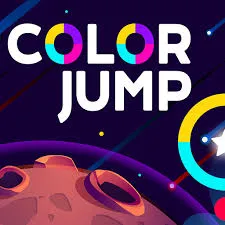
Your brain processes color faster than almost any other visual information. Color Jump exploits this fact ruthlessly. Your character sails upward through a vertical gauntlet of color-coded gates, and you must match your character's current color to the gate you pass through. One mismatch and the run is over. The result is a game that feels like a reflex test crossed with a visual puzzle, where the difference between a new high score and a game over is a fraction of a second of color recognition.
The Color Matching Challenge
At its core, Color Jump asks you to do something simple: match colors. Your character takes on one of several colors, and you must guide it through the gate that shares that color. The character changes color unpredictably, the gates come faster as you progress, and wrong choices are punished instantly. This combination of simplicity and severity creates a game that is easy to understand but fiendishly difficult to master.
You can play Color Jump online in seconds, but developing the pattern recognition and split-second decision-making needed for high scores takes dedicated practice.
Understanding Color Theory in Motion
The Color Set
Color Jump uses a fixed palette of colors throughout each run. Learning this palette is your first task. The specific colors can vary, but they typically include a warm color (red or orange), a cool color (blue or green), a neutral (white or gray), and one or two accent colors (yellow, purple, or pink).
Color Pairing Traps
Some colors in the palette look similar at a glance, especially during fast gameplay. Red and orange, blue and purple, or green and yellow can be confused when gates are rushing toward you. Train yourself to distinguish between similar hues by focusing on saturation rather than shade. Red is deeper and darker than orange. Blue is cooler and more muted than purple.
How Color Changes Work
Your character changes color at regular intervals, and these changes are signaled by a visual flash or transition effect. The new color is determined randomly within the palette, meaning you cannot predict what color comes next. What you can predict is when the change will happen -- the transition interval remains consistent throughout a run.
The Transition Window
There is a brief moment during each color transition where your character's color is shifting. During this window, your character effectively has no valid color and cannot pass through any gate safely. Learning to recognize this transition window prevents you from committing to a gate during a period when your color is undefined.
Gate Patterns and Recognition
Single Gates
The most basic pattern presents one gate of each color. Your job is simply to identify which gate matches your character and jump toward it. Single gates appear throughout the game but dominate the early stages.
Multi-Gate Arrays
As difficulty increases, multiple gates appear simultaneously, often stacked vertically or arranged in a row. You must not only identify your matching color but also navigate through the correct gate while avoiding the others. Multi-gate arrays test both color recognition and spatial navigation simultaneously.
The Decoy Gate
Some arrays include a gate in a color very similar to your character's current color but slightly off -- a reddish-orange gate when your character is red, for example. These decoy gates are designed to trick your peripheral vision. Always confirm the exact color match before committing to a gate.
Moving Gates
Advanced levels introduce gates that shift position after appearing. A matching gate might slide from left to right, requiring you to track its movement while simultaneously monitoring your character's color state. Moving gates add a spatial tracking element to the color-matching challenge.
Jump Mechanics
The Jump Input
- Up Arrow / Spacebar: Jump upward
- Left Arrow / A: Move left during a jump
- Right Arrow / D: Move right during a jump
- Click / Tap: Jump (touch-friendly alternative)
Your character moves upward automatically between jumps. Each jump adds height and allows horizontal repositioning. The key is timing your jumps so you pass through the matching gate at the right height and horizontal position.
Jump Height Control
The height of your jump is fixed -- you cannot perform a half-jump or a double-jump. This means positioning yourself horizontally before jumping is more important than adjusting your vertical trajectory. Line up with the correct gate, then jump.
Pattern Matching Tips
The Scan Technique
When a new set of gates appears, do not immediately look for your color. Instead, quickly scan all visible gates to map their positions. Once you know where each color is located, identifying your match becomes faster because you are searching a known map rather than scanning the entire screen.
Peripheral Color Detection
Train your peripheral vision to detect color without looking directly at the gates. Your central vision should track your character's position while your peripheral vision monitors the upcoming gate colors. This split attention is difficult at first but becomes natural with practice.
The Audio Cue Method
If the game provides audio feedback when your character changes color, use it. Sound arrives faster than visual processing for many players, and reacting to an audio cue can give you a split-second head start on identifying your new matching gate.
Scoring and Progression
Distance Score
Your primary score comes from distance traveled upward. Each gate you pass through correctly adds to your height total. The score increases gradually, rewarding consistent play above all else.
Perfect Streak Bonus
Consecutive correct gate passes build a streak counter. Higher streaks award increasing bonus points. Breaking a streak by hesitating too long or passing through the wrong gate resets the counter.
Speed Bonus
Passing through a gate quickly after your color changes awards a speed bonus. The faster you react to a new color, the higher the bonus. This rewards players who have internalized the color palette and can identify matches instantly.
Important Notes
- Color blindness accommodations. If you have difficulty distinguishing certain colors, try adjusting your monitor's color settings or playing in a well-lit environment to enhance contrast.
- The pace never relents. Gates come faster and faster as you progress. There is no plateau where the difficulty stabilizes.
- Short breaks restore focus. Color recognition fatigue is real. A two-minute break between runs can meaningfully improve your reaction accuracy.
- Practice the palette. Spend your first few runs simply learning the color set without worrying about score. Once the colors are burned into your memory, your reaction time improves dramatically.
Play Color Jump on Wacky Steps
Test your reflexes, sharpen your color recognition, and chase the high score. Play Color Jump online at Wacky Steps for a vibrant, fast-paced challenge that never gets old.
- 100% Free -- Unlimited jumps, no cost, no in-app purchases
- No Download Required -- Start playing instantly in your browser
- Browser-Based -- Colorful, smooth gameplay on any modern device
You May Also Like





Discuss Color Jump
No comments yet. Be the first to share your thoughts!